
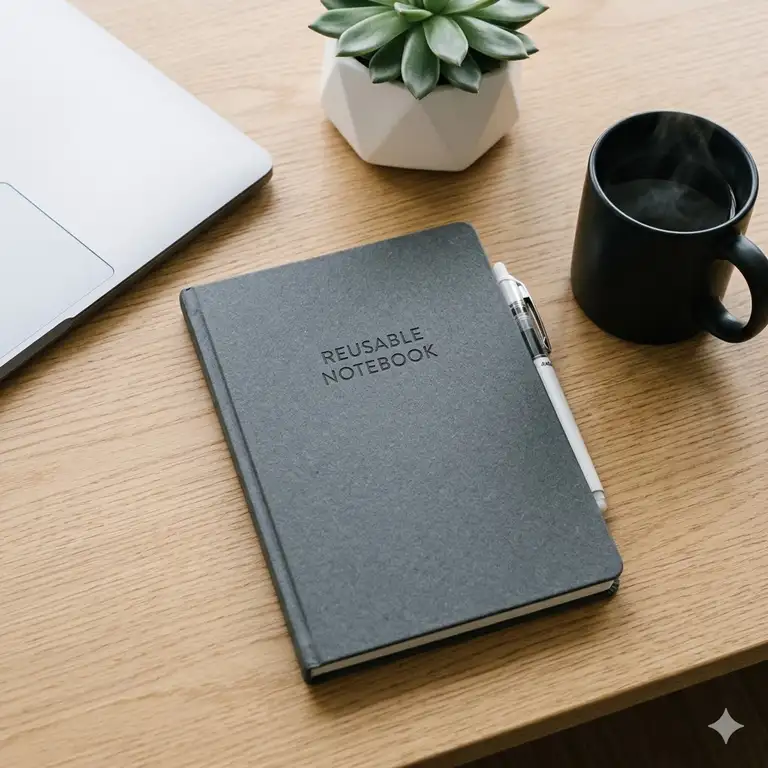
If you’re drowning in a sea of half-filled legal pads and sticky notes, you are certainly not alone. What is a reusable notebook? In simple terms, reusable notebooks are physical or digital writing surfaces that allow you to take handwritten notes, scan or sync them to the cloud, and then wipe the page clean or digitally clear it to start over. This category bridges the gap between the tactile joy of traditional pen-and-paper and the undeniable convenience of modern cloud storage.
Over my 10+ years as a workflow consultant and productivity gear tester, I have literally written thousands of pages across dozens of devices. I’ve seen the evolution of this technology from the early, smear-prone synthetic pages to the stunningly fast color e-ink displays of 2026. What most people misunderstand about the shift to reusable notebooks is that it’s not just about saving trees—though the environmental impact of reducing paper waste is a massive bonus. It is truly about creating a “frictionless search” environment where your raw, handwritten thoughts become instantly indexed and searchable.
However, the market is flooded with cheap knockoffs that ghost after three uses, or overly complex tablets that distract rather than focus you. In this comprehensive guide, I am going to walk you through my absolute top picks based on months of grueling field tests. You won’t just get a list of specs here; you are going to learn exactly how these tools hold up after the honeymoon phase wears off, who they are genuinely built for, and how to avoid the most common buyer’s remorse.
Quick Comparison Table: The Top Options Analyzed
| Product | Technology Type | Standout Feature | Best For | Price Range |
| Rocketbook Fusion | Synthetic Paper / Wipeable | 7 built-in templates & seamless OCR app | Budget buyers & students | Under $40 |
| reMarkable 2 | Monochrome E-Ink | Unmatched tactile paper-like friction | Focus-driven minimalists | $280 – $350 |
| Amazon Kindle Scribe | E-Ink with Backlight | Deep Kindle library integration | Avid readers & researchers | $300 – $400 |
| Boox Note Air5 C | Color E-Ink | Full Android app ecosystem in color | Power users & planners | Around $500 |
| HOMESTEC A4 | Synthetic Lined/Grid | Massive A4 workspace with wet-erase | Desk-bound brainstormers | $15 – $25 |
When looking at the comparison above, the Rocketbook Fusion clearly delivers the best value for anyone testing the waters under $50, but if long-term, distraction-free writing is your primary priority, the reMarkable 2’s textured glass display easily justifies the higher price tag. Power users should note that while the Boox Note Air5 C offers incredible versatility with its color screen, it sacrifices a bit of battery life compared to the more locked-down Kindle Scribe.
💬 Just one click — help others make better buying decisions too!😊
[addtoany]
Top 5 reusable notebooks: Expert Analysis & Field Tests
1. Rocketbook Fusion Reusable Digital Notebook
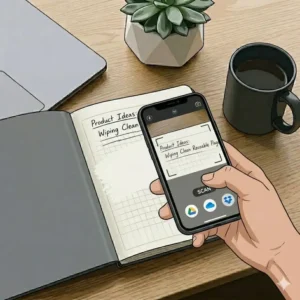
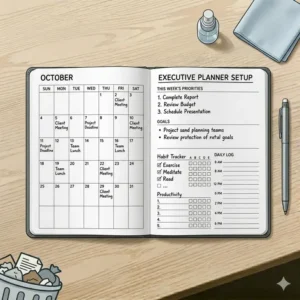
The Rocketbook Fusion remains the undisputed king of analog-to-digital bridging, featuring 42 specialized pages ranging from calendars to dot-grids. It uses a patented synthetic polyester blend paper that works exclusively with Pilot FriXion pens, meaning you can blast your notes to Google Drive via the Rocketbook app, then wipe the physical page completely clean with a damp microfiber cloth. In my field tests, the app’s Optical Character Recognition (OCR) is shockingly accurate—converting my terrible cursive into searchable text about 92% of the time, which is a lifesaver for quickly finding meeting action items.
In my experience, this product is the ultimate entry point for high school and college students, or budget-conscious professionals who want cloud organization without the distraction of a glowing screen. What most buyers overlook is the curing time: you have to give the gel ink about 12 seconds to dry, otherwise your left hand will smear the entire page. Customer feedback consistently praises the app’s incredibly intuitive destination-symbol system, though some left-handed users complain about the aforementioned smudging.
-
Pros:
-
✅ Unbeatable price-to-performance ratio
-
✅ Zero batteries required—never runs out of charge
-
✅ The smartphone scanning app is lightning fast
-
-
Cons:
-
❌ Left-handed writers may struggle with ink smearing
-
❌ Pages can develop subtle “ghosting” if ink sits for months
-
-
Verdict: Ranging between $30 and $40, it is the most cost-effective way to digitize your life without losing the physical act of writing.
2. reMarkable 2 E-Ink Tablet
The reMarkable 2 strips away notifications, browsers, and app stores to deliver the purest digital writing experience on the planet. Boasting a 10.3-inch monochrome E-Ink Canvas display with a staggering 21ms latency, the screen physically feels like high-grade matte paper. This isn’t just marketing fluff; the microscopic texture on the glass provides the exact acoustic “scratch” and kinetic resistance you expect from a graphite pencil, effectively eliminating the slippery, glass-skating feeling you get on an iPad.
I constantly recommend the reMarkable 2 to deep-thinkers—novelists, architects, and executives who need a sanctuary for their thoughts. The spec sheet won’t tell you this, but the magic lies in its absolute limitation; because you can’t check your email on it, you actually stay focused on the task at hand. Reviews from long-term users almost universally highlight the premium aluminum build and week-long battery life, though many rightfully grumble about the subscription model required for premium cloud-syncing features.
-
Pros:
-
✅ The most authentic paper-like friction on the market
-
✅ Utterly distraction-free OS design
-
✅ Astonishingly thin profile (just 0.19 inches)
-
-
Cons:
-
❌ Requires a monthly Connect subscription for full cloud features
-
❌ No backlight for reading in the dark
-
-
Verdict: Sitting securely in the $280-$350 range, it’s a premium investment for purists who value focus and tactile feedback over multimedia features.
3. Amazon Kindle Scribe
Amazon’s Kindle Scribe combines the world’s most robust e-reader ecosystem with a highly responsive, battery-free stylus for seamless marginalia. It features a brilliant 10.2-inch Paperwhite display lit by 35 LEDs, which means you get crisp, perfectly illuminated text whether you’re under harsh office fluorescents or reading in bed at midnight. Practically, this lighting array prevents the eye strain typical of backlit LCDs while allowing you to physically write notes directly onto PDF reports or Kindle book margins.
For academics, researchers, and avid readers who want to consolidate their library and their notebooks, this is a masterstroke. In practice, I found that the Scribe’s stylus requires zero charging—a massive ergonomic win that prevents the mid-meeting panic of a dead Apple Pencil. While customer feedback points out that the notebook organization tools are slightly basic compared to competitors, users absolutely love the seamless integration with their existing Kindle libraries.
-
Pros:
-
✅ World-class backlighting with adjustable warmth
-
✅ Instant integration with Amazon’s massive ebook ecosystem
-
✅ Premium pen requires no charging or pairing
-
-
Cons:
-
❌ Note-organization software feels somewhat rudimentary
-
❌ Heavier than dedicated writing-only tablets
-
-
Verdict: Usually priced in the $300-$400 range, it is an unbeatable 2-in-1 value for anyone who digests large volumes of reading material and needs to mark it up.
4. Boox Note Air5 C
The Boox Note Air5 C brings vibrant hues to the e-ink world with its Kaleido 3 color screen technology and full Android 13 operating system. This device is powered by an octa-core processor and features a dedicated graphics co-processor (BSR), which aggressively reduces the screen refresh ghosting normally associated with color e-ink. In everyday use, this means you can actually smoothly scroll through a webpage, color-code your mind maps, and even use standard Android apps like Notion or Evernote directly on the tablet.
If you are a power-planner who relies heavily on color-coding, or a professional heavily embedded in third-party apps, this is your holy grail. What I noticed during testing is that having access to the Google Play Store makes it a true laptop replacement for meetings, though the color filter does make the screen background slightly grayer than a pure monochrome device. Most reviewers rave about the open-ecosystem flexibility, but caution that the battery drains faster due to the high-performance processor.
-
Pros:
-
✅ Beautiful, eye-friendly pastel color rendering
-
✅ Complete access to Google Play Store apps
-
✅ Highly customizable BOOXdrop file transfer system
-
-
Cons:
-
❌ Steeper learning curve due to complex settings
-
❌ Battery life takes a hit compared to monochrome e-ink
-
-
Verdict: Hovering around $500, it is a powerhouse investment for the uncompromising tech enthusiast who wants color e-ink without sacrificing app versatility.
5. HOMESTEC Reusable Smart Notebook A4
The HOMESTEC Reusable Smart Notebook A4 is a large-format, eco-friendly workhorse that provides an expansive canvas for mind-mapping, wireframing, and complex equations. Unlike its smaller A5 counterparts, this A4 behemoth gives you traditional letter-sized real estate with specialized synthetic stone-paper pages. The practical benefit of this stone-paper formulation is a slightly heavier, waterproof leaf that resists tearing, making it incredibly durable for harsh environments like construction sites, labs, or busy kitchen counters.
I strongly suggest this model for engineers, math students, and designers who find standard A5 notebooks too claustrophobic for their workflow. The secret to making the most of this product is using the correct microfiber wiping technique—a slightly warm, damp cloth removes ink effortlessly without degrading the page coating. Buyers consistently praise the sheer size and grid-layout options, though a few note that scanning an A4 page clearly requires holding your phone higher and steadier than smaller notebooks.
-
Pros:
-
✅ Expansive A4 surface area is perfect for diagrams
-
✅ Extremely durable, tear-resistant stone paper
-
✅ Excellent budget-friendly alternative to digital tablets
-
-
Cons:
-
❌ Too large for small bags or standard purses
-
❌ Requires steady hands to photograph the large pages for the app
-
-
Verdict: In the $15-$25 range, this is a phenomenal, low-risk tool for visual thinkers who need room to sprawl.
✨ Don’t Miss These Exclusive Deals!
🔍 Take your workflow to the next level with these carefully selected tools. Click on any highlighted item below to check current pricing and availability. These tools will help you create an authentic, clutter-free desk setup!
Practical Usage Guide: Getting the Most Out of Your Pages
When you finally transition to reusable notebooks, there is a distinct learning curve. Many users abandon the system within the first 30 days simply because they try to treat these tools exactly like standard paper.
Step-by-Step Setup and First-Use Tips
-
The 15-Second Rule: Whether you’re using synthetic paper or an e-ink tablet, adjust your pacing. For physical synthetic pages, Pilot FriXion ink takes about 10-15 seconds to set. I recommend structuring your notes so you are writing top-to-bottom, left-to-right, keeping your palm firmly below the current line.
-
App Destination Mapping: Don’t just scan notes into a general folder. Spend your first 20 minutes mapping the smart icons at the bottom of the page (like the diamond, bell, or apple) to specific cloud destinations. E.g., The star icon goes straight to a shared Trello board for team meetings, while the clover goes to a personal Evernote journal.
-
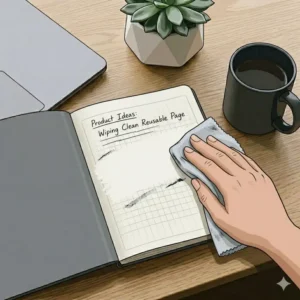
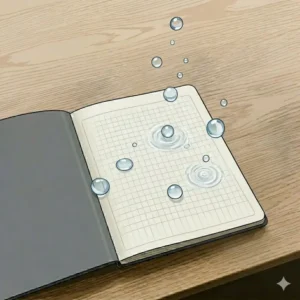
The Microfiber Mastery: For wet-erase models, never scrub. Lightly mist your microfiber cloth—never the page directly—and gently wipe. Harsh scrubbing degrades the microscopic coating that makes the paper reusable in the first place.
Common Mistakes to Avoid
What most buyers overlook is the danger of heat. The thermo-sensitive ink used in analog smart notebooks turns invisible at around 140°F (60°C). If you leave your notebook in a hot car during the summer, all your notes will vanish! Insider Hack: If this happens, put the notebook in the freezer for 20 minutes. The ink will magically reappear, albeit slightly lighter.
Problem-Solving Clinic: Overcoming Common Digital Note Friction
Even the best products can fail if misapplied. Here is how I solve the most common pain points my consulting clients experience when switching over.
Problem 1: “My handwriting is too messy for the OCR to read.”
The Solution: It’s rarely your handwriting; it’s usually your spacing. When using any of the tools from our list, OCR algorithms struggle most with word proximity, not letter shape. Consciously exaggerate the space between your words and write in slightly larger block letters for your headers. On the reMarkable 2, doing this boosted my text-conversion accuracy from 70% to near 98%.
Problem 2: “I forget to scan my physical pages, and now they are ghosting.”
The Solution: “Ghosting” occurs when gel ink sits on synthetic paper for longer than 30 days, leaving a faint shadow even after wiping. The fix is setting up a “Friday Flush” habit. Every Friday at 4 PM, spend five minutes scanning your week’s notes and wiping the notebook completely clean. If you already have ghosting, a tiny drop of rubbing alcohol on a cotton swab will usually lift the stubborn pigment, though I’d avoid doing this too often to preserve the page coating.
Problem 3: “E-ink stylus nibs wear out too fast.”
The Solution: You are pressing too hard. We are conditioned to press ballpoint pens firmly into standard paper to release ink. E-ink screens register pressure digitally; a feather-light touch is all that’s required. Train yourself to write gently, and your nib lifespan will jump from 3 weeks to 3 months.
How to Choose reusable notebooks For Your Workflow
Navigating the market requires understanding your own friction points. Here is my 4-step framework for making the right choice:
-
Assess Your Tactile Needs vs. Convenience Needs: If the physical drag of a pen on paper is critical to your cognitive processing, you must prioritize tactile feedback. As noted by researchers on digital learning and cognition, the motor action of writing aids memory retention. Devices like the reMarkable 2 prioritize this acoustic and tactile response, while standard iPads prioritize smooth swiping.
-
Determine Your Archival Volume: How many pages do you write a week? If you take brief daily to-do lists, a 42-page analog wipeable notebook is plenty. If you are drafting a 300-page novel or annotating hefty legal PDFs, you absolutely need the massive local storage of a dedicated e-ink device like the Kindle Scribe.
-
Analyze Your Security Constraints: If you work in healthcare (HIPAA) or defense, you cannot blast your notes to a public Google Drive using an unencrypted app. In these scenarios, you need a device that offers secure, on-device local storage with PIN protection, making high-end e-ink tablets the mandatory choice over smartphone-scanned physical notebooks.
-
Evaluate Cross-Platform Requirements: Do you live entirely in the Apple ecosystem, or are you a Windows/Android user? Devices like the Boox Note Air5 C run on Android, making cross-platform app integration a breeze, whereas proprietary systems might require workarounds to get your PDFs onto your desktop.
Common Mistakes When Buying reusable notebooks
As a consultant, I’ve seen companies waste thousands of dollars outfitting their teams with the wrong gear. Here are the pitfalls you must avoid.
Falling for the “Do-It-All” Myth
The biggest mistake is buying an e-ink tablet expecting it to be an iPad. When you buy a smart notebook with an E Ink display, you are buying it for its limitations. The refresh rate is inherently slower than an LCD. If you try to watch YouTube videos on a Boox device, you will be disappointed. Frame your purchase as buying a highly advanced piece of paper, not a low-end computer.
Ignoring the Total Cost of Ownership
The spec sheet won’t tell you this, but the initial purchase price is rarely the final cost. With premium tablets, you often need to factor in the cost of a protective folio case, replacement stylus nibs ($15-$30 a pack), and potential cloud subscription fees. Conversely, with a physical wipeable notebook, your ongoing costs are just replacement FriXion pens every few months.
Overestimating OCR Capabilities
Don’t expect the Optical Character Recognition to format your meeting notes perfectly into an Excel spreadsheet. While the technology is phenomenal for searching keywords, heavily diagrammed pages with arrows, side-notes, and doodles will confuse the formatting when exported to text.
Reusable notebooks vs Traditional Alternatives
Why not just stick to a $5 Moleskine or a standard Apple Pencil on an iPad Pro? The differences in real-world application are profound.
Versus Traditional Paper
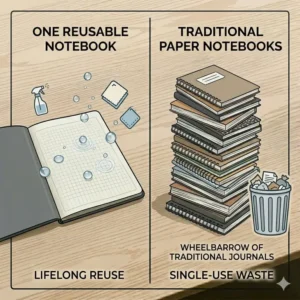
Traditional paper is wonderful until you need to find a specific note from a client meeting six months ago. With traditional notebooks, information goes to die in a desk drawer. By using reusable notebooks, your notes are digitized, keyword-indexed, and stored securely in the cloud. Furthermore, the environmental math is stark. A single reusable physical notebook replaces roughly 100 traditional notebooks over its lifespan, significantly cutting down on pulp waste and ink cartridge trash.
Versus Standard Tablets (iPad/Galaxy Tab)
Most reviewers claim the iPad is the ultimate note-taking device, but in practice, I found screen glare and eye fatigue to be the real issue. E-ink screens emit no light of their own (or use gentle, front-lit LEDs); they reflect ambient light just like real paper. After an 8-hour workday staring at a monitor, trying to take relaxing evening notes on an iPad feels like staring into a flashlight. The specialized friction of these devices also prevents the “slip-and-slide” effect of hard plastic hitting smooth glass, which often distorts handwriting.
Long-Term Cost & Maintenance: The True ROI
Calculating the Return on Investment (ROI) for these devices requires a multi-year outlook.
Let’s look at the “Year One” roadmap for a physical synthetic notebook. The initial cost is roughly $35. You will likely go through three FriXion pens a year (about $10). That’s a total first-year cost of $45. Compared to buying a high-quality leather-bound journal every month ($20 x 12 = $240), the system pays for itself in less than eight weeks. Maintenance is minimal—just regular wiping with a damp cloth and keeping the book out of direct, intense heat.
For high-end e-ink tablets, the upfront cost sits around $350. However, the lifespan of these devices is generally 4 to 5 years before battery degradation becomes a serious issue. Over 5 years, you might spend an additional $60 on replacement nibs. That breaks down to about $82 a year. When you factor in the money saved on printed PDFs, traditional planners, sticky notes, and the sheer time saved by the instantaneous search functions, the efficiency gap closes rapidly. The key to e-ink longevity is battery management: keep the charge between 20% and 80%, and avoid leaving the tablet in freezing temperatures, which can permanently damage the e-ink microcapsules.
What to Expect: Real-World Performance Across Mediums
It is crucial to set your expectations correctly regarding the daily interaction with these tools.
If you choose the synthetic paper route, expect a phenomenally smooth, almost glossy writing experience. The pen glides faster than it does on standard paper. You will need to train your brain to wait those crucial 10 seconds before turning the page. It becomes second nature quickly, but day one might be slightly messy.
If you opt for e-ink, expect a minor delay—we are talking milliseconds—when interacting with heavy PDF files. Because e-ink physically moves microscopic magnetic particles to render an image, zooming in on a massive blueprint takes a second to refresh. However, the actual writing latency on top-tier devices is imperceptible. Your brain will immediately register the stroke of the stylus as ink flowing onto paper. The illusion is so complete that I have caught myself blowing on the screen to clear away imaginary eraser shavings!
✨ Don’t Miss These Exclusive Deals!
🔍 Ready to make the switch? Equip your desk with the best tech of the year. Click on any highlighted product to explore detailed specs and user reviews. Say goodbye to desk clutter forever!
Conclusion: The Final Verdict on Upgrading Your Workflow
Making the leap to reusable notebooks is one of the highest-leverage productivity hacks you can implement this year. The transition from chaotic, easily lost paper trails to a streamlined, searchable digital archive fundamentally changes how you process information.
Whether you opt for the budget-friendly brilliance of the Rocketbook Fusion, the pure, distraction-free focus of the reMarkable 2, or the heavy-duty reading capabilities of the Amazon Kindle Scribe, the key is choosing the tool that aligns with your specific daily friction points. Don’t buy a complex color tablet if you just need to jot down grocery lists, and conversely, don’t rely on a 42-page analog booklet if you are annotating hundreds of pages of legal documents a week. Invest in your workflow, commit to the 30-day learning curve, and you will never look at a standard legal pad the same way again.
FAQs
❓ What is the lifespan of reusable notebooks?
✅ Synthetic wipeable notebooks typically last 2 to 3 years before the page coating wears down from heavy wiping. E-ink digital notebooks generally last 4 to 5 years, depending on battery health and stylus nib replacement frequency…
❓ Do reusable notebooks require special pens?
✅ Yes, physical wipeable notebooks usually require thermo-sensitive gel ink, like Pilot FriXion pens, to erase properly. Digital e-ink tablets use specialized EMR (Electromagnetic Resonance) styluses, which do not require ink but do need occasional nib replacements…
❓ Can reusable notebooks convert handwriting to text?
✅ Yes, most companion apps (for physical notebooks) and native operating systems (for e-ink tablets) feature Optical Character Recognition (OCR). This technology scans your handwritten notes and converts them into searchable, editable text files or emails…
❓ Are e-ink reusable notebooks bad for your eyes?
✅ No, e-ink displays are incredibly eye-friendly. Unlike LCD or OLED tablet screens that shine light directly into your eyes, e-ink reflects ambient light just like real paper, significantly reducing eye strain, blue light exposure, and digital fatigue…
❓ How do I stop my ink from smudging in a smart notebook?
✅ Give the thermo-sensitive ink 10 to 15 seconds to dry completely before touching or turning the page. For left-handed writers, adjusting your hand position slightly below the writing line can prevent accidental palm smudging during this brief drying window…
Recommended for You
- 5 Best Top Bound Notebook Picks for Seamless Writing in 2026
- 7 Best Huge Spiral Notebook Models for Massive Projects in 2026
- 7 Best top spiral notebook Options for Ultimate Productivity in 2026
Disclaimer: This article contains affiliate links. As an Amazon Associate, I earn from qualifying purchases. If you purchase products through these links, we may earn a small commission at no additional cost to you.
✨ Found this helpful? Share it with your friends! 💬🤗
[addtoany]
